Skip to content
All work
Personal project · Chrome Web Store

HoverBar

HoverBar is a local-first, keyboard-driven floating command palette for Chrome and Chromium browsers. It unifies open tabs, Chrome Tab Groups, bookmarks, history, site bangs, quick tab actions, offline emoji lookup, and inline arithmetic in an overlay that does not hijack the New Tab page.

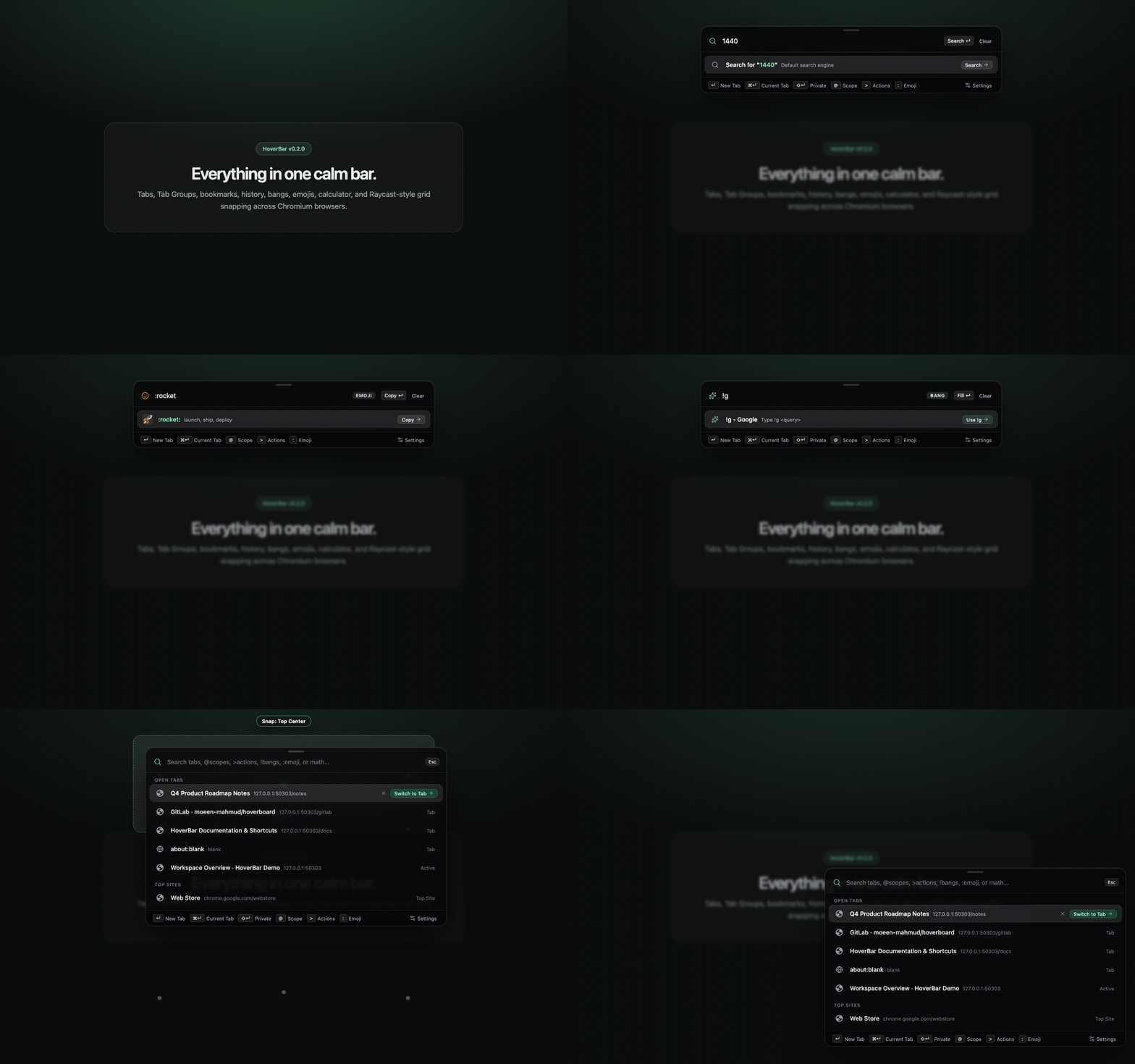
HoverBar floating command bar switching tabs, evaluating math, looking up emojis, and snapping to the 3x3 grid
Scoped tab search, inline calculator, offline emoji picker, bangs, and 3x3 grid snapping.
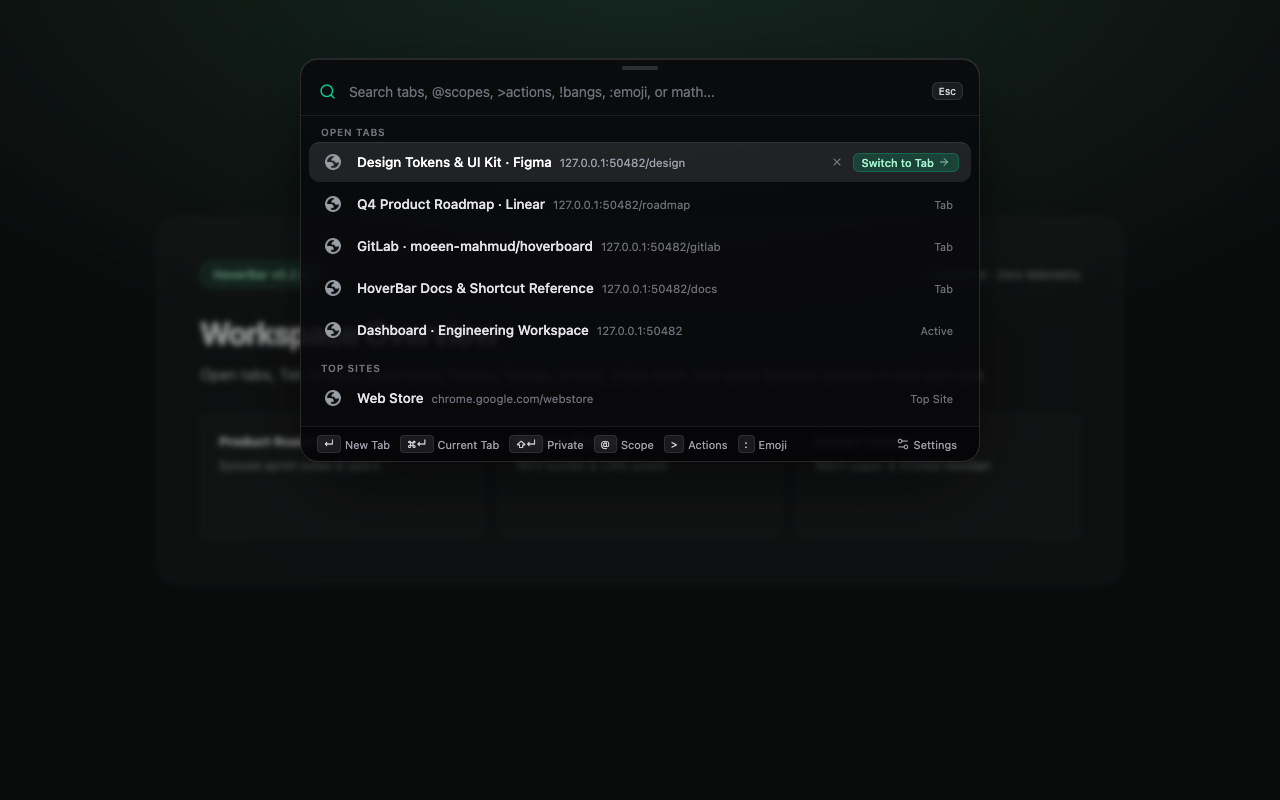
HoverBar dark frosted overlay over a workspace page
Borderless Shadow DOM command palette rendered in dark frosted mode.
Under the surface

The thinking behind the work

TypeScriptReactWXTChrome MV3

Shadow DOM CSS normalization

Hostile webpage stylesheets override root font sizing and drop Shadow DOM @property definitions. Rewriting rem utilities to pixels and promoting @property rules to document stylesheets keeps the overlay consistent across arbitrary sites.

Three-tier launch fallback

Static content scripts avoid injection lag on webpages while falling back gracefully to action.openPopup() or a centered popup window on restricted chrome://, New Tab, and extension surfaces.

Split shortcuts and local-only ranking

Dedicated hotkeys separate opening search results in a new tab from editing the current URL in place, paired with on-device per-query frecency and a draggable 3x3 snap grid with zero telemetry.
Have a good problem in mind?

I’m interested in senior engineering roles, thoughtful teams,
and software that’s worth building.

Let’s talk